


Short answer: For most Denver businesses, mobile credentials are best when fast remote issuing, easy revocation, and detailed user-level control matter. Key cards are often the simpler choice for visitors, staff without compatible phones, shared operations, and sites that need a low-friction backup. A well-designed system can support both. The right decision depends on the door hardware, staffing model, administration process, network reliability, and life-safety requirements—not on which credential looks newer.
A credential is only one part of the opening. The reader, controller, lock, door, frame, closer, request-to-exit device, fire-alarm interface, and management software all have to work together. Before changing technology, a commercial locksmith serving Denver businesses should inspect the physical door while the access-control provider and property representative confirm how the system must operate.
This guide compares mobile credentials and key cards for offices, clinics, retail spaces, warehouses, and multi-tenant properties in the Denver area. It focuses on practical ownership questions: who administers access, what happens when a phone is lost, how visitors enter, and what must keep working during an outage.
What is the difference between a mobile credential and a key card?
A mobile credential is a digital identity stored in an approved phone app or wallet. The reader recognizes it through a supported communication method, commonly Bluetooth or near-field communication. An administrator can usually issue, suspend, or revoke the credential through the access-control platform.
A key card is a physical credential assigned to a user. It may be a card, fob, or badge that communicates with a compatible reader. Modern cards can provide strong credential protection, but older low-frequency formats may be easier to copy. The card technology and reader configuration matter more than the shape of the badge.
Neither option automatically replaces the mechanical cylinder. Many commercial doors retain controlled mechanical access for authorized management, service, or emergency use. If that physical key hierarchy is unclear, review the commercial master key system at the same time.
Mobile credentials vs key cards: a quick Denver business comparison
| Decision factor | Mobile credentials | Key cards |
|---|---|---|
| Issuing access | Often remote and fast after identity verification | Requires a programmed physical credential and handoff |
| Revoking access | Usually immediate from the management platform | Usually immediate in software, but the physical card may remain unreturned |
| User convenience | One less item for employees who already carry a compatible phone | Simple tap-and-go experience with no personal phone required |
| Visitors and contractors | Useful for pre-issued, time-limited access when supported | Easy to loan and collect at reception |
| Lost credential | Disable the credential; also follow the organization’s lost-phone process | Disable the card and issue a replacement |
| Battery or device issue | Requires a defined backup method | No phone battery dependency |
| Privacy and policy | Requires a clear bring-your-own-device or company-device policy | Keeps building access separate from an employee’s personal phone |
| Best fit | Distributed teams, frequent changes, remote administration | Visitors, high-turnover roles, phone-restricted sites, simple operations |
Best practical answer: A hybrid credential policy is often stronger than forcing every person into one format. Use mobile credentials where they reduce administrative work, then retain secure cards for visitors, exceptions, and documented continuity.
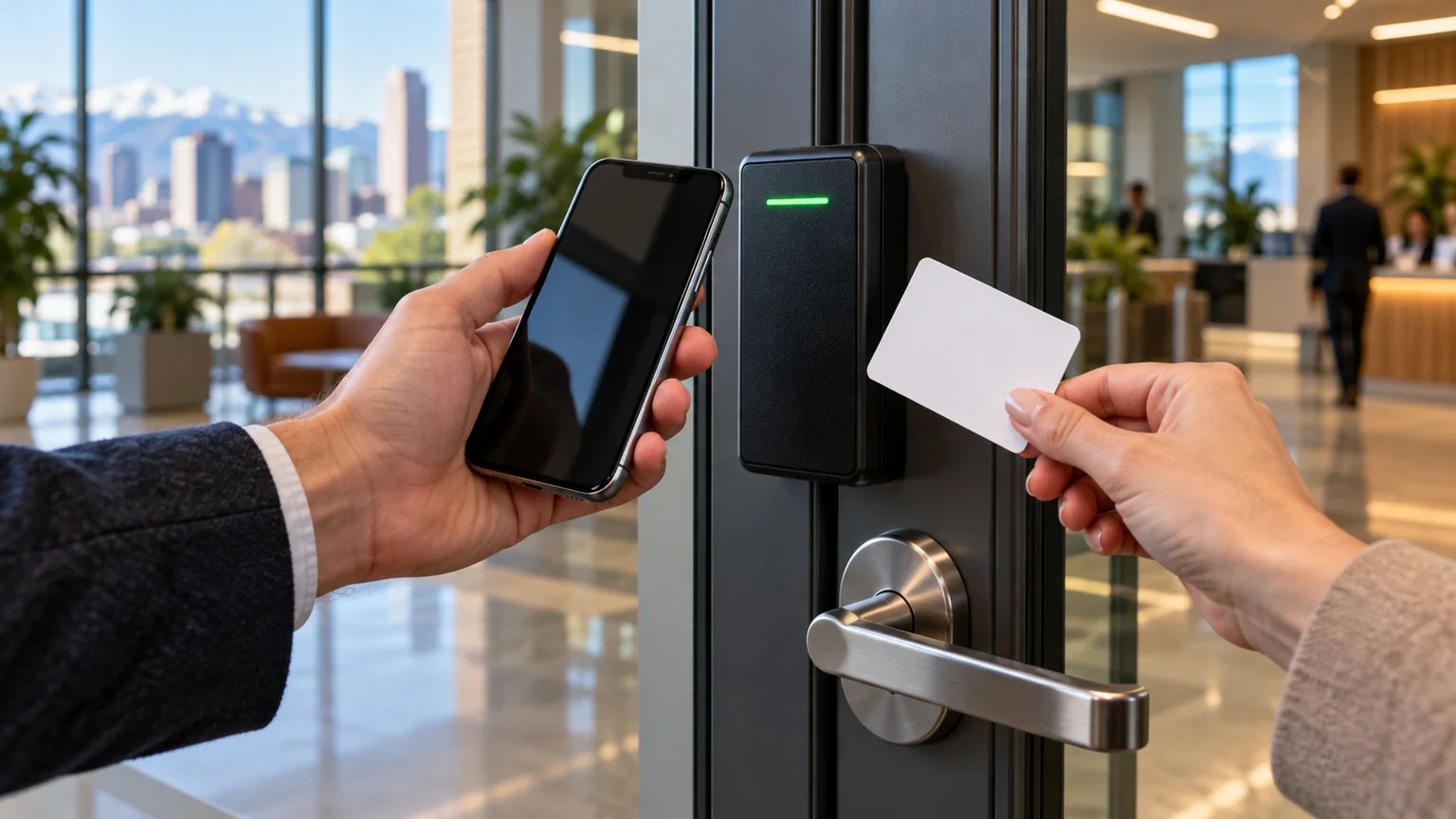
When mobile credentials are the better fit
Frequent personnel and schedule changes
Denver offices with hybrid schedules, rotating contractors, or several locations may benefit from credentials that can be issued without arranging an in-person card handoff. The administrator can apply a start date, expiration date, door group, and schedule before the user arrives.
Remote administration
Property teams responsible for more than one suite or building can reduce trips made only to deliver a badge. That advantage is meaningful only when administrator accounts use strong authentication and access changes are documented.
Individual accountability
Every person should receive an individual credential. A shared phone, generic account, or common PIN removes much of the audit value. Logs can support an investigation, but they are not proof that the named person was the person at the door; credentials can be loaned or devices can be shared.
Time-limited vendor access
Cleaning crews, technicians, temporary staff, and event vendors may need access only to certain doors at certain times. A carefully scoped digital credential can be cleaner than issuing an unrestricted key and hoping it comes back.
When key cards are the better fit
Personal phones are not part of the job
Some employers do not want to require a personal device for work access. Others operate in clinical, manufacturing, lab, education, or high-security environments where phones may be restricted. A card keeps entry separate from the employee’s device, wireless settings, and battery level.
Reception-managed visitors
A numbered visitor card can be issued at check-in, limited to the required doors and hours, then returned at departure. The card should expire automatically in case it is not returned.
Simple training and predictable use
Staff already understand how to tap a card. There is no app enrollment, wallet setup, Bluetooth setting, device migration, or phone-support conversation. That simplicity can be valuable for high-turnover or mixed-technology workforces.
Documented continuity
A controlled stock of disabled spare cards can be enrolled when an approved user loses a phone or changes devices. Cards are not a substitute for a power-outage plan, however; the reader and lock still depend on the system design.
Seven questions to answer before changing credentials
- Who owns administration? Name the people allowed to issue, change, and revoke credentials. Avoid a single undocumented administrator account.
- Which users need an exception? Plan for visitors, contractors, staff without compatible phones, and roles where personal devices are prohibited.
- What happens when a phone is lost, dead, replaced, or offline? Write the backup process before rollout.
- Are the readers and controllers compatible? A mobile-capable reader does not guarantee compatibility with every credential platform or phone.
- Does every door close and latch reliably? Digital permission cannot secure a misaligned strike, weak frame, or door that remains ajar.
- What must happen during fire alarm, power loss, or system failure? Required egress and emergency operation must be preserved.
- How will access be reviewed? Schedule recurring user, role, door-group, and administrator audits.
If the current system has accumulated former users, shared badges, or undocumented overrides, begin with the commercial rekeying and access-audit checklist. Migration is easier after the existing permissions are understood.

Denver permits, fire code, and free egress
Access control is not simply an IT purchase. Electrified locking can affect egress, emergency release, fire-alarm coordination, electrical work, and inspections. Denver’s official plan review, permits, and inspections guidance states that the 2025 Denver Building and Fire Codes became effective on December 31, 2025 and that permits are required for most construction, alteration, or repair work on private property.
Do not add an electric strike, magnetic lock, delayed-egress device, or reader to an exit door based only on a product description. Have qualified parties verify the door’s use, occupancy, swing, listed hardware, free-egress operation, power-loss behavior, fire-alarm interface, and permitting path. A credential decision must never make the exit path confusing or unsafe.
A low-disruption migration plan
- Inventory openings and users. List every controlled door, reader, controller, credential format, administrator, and active user.
- Inspect door condition. Correct closing, latching, hinge, strike, frame, and closer problems before blaming the access platform. Lock Pixies’ commercial door lock services can address mechanical problems found during the survey.
- Define the credential policy. State who receives mobile access, who receives cards, how visitors are handled, and what backup is approved.
- Pilot one controlled group. Test enrollment, entry, exit, revocation, phone replacement, card loss, after-hours access, and administrator recovery.
- Run a short overlap period. Keep the approved previous method available only as long as necessary to verify the new workflow.
- Remove obsolete permissions. Disable old credentials and reconcile physical keys. If a metal key is unaccounted for, commercial rekeying may be appropriate.
- Document and review. Record system ownership, emergency contacts, door schedules, backups, and a recurring audit date.

Common credential-upgrade mistakes
- Buying readers before documenting workflows. The business then discovers that visitors, cleaners, or phone-restricted staff cannot use the chosen process.
- Assuming mobile means password-free. Administrator accounts and enrollment still require strong identity and account security.
- Leaving shared codes active. A new reader does not fix an old keypad code known by former workers.
- Ignoring the mechanical key path. A lost management key may operate doors outside the electronic audit trail.
- Skipping the physical inspection. A door that does not latch defeats both cards and phones.
- Treating access logs as employee surveillance by default. Define retention, access, and legitimate use with appropriate HR, privacy, and legal guidance.
The bottom line
Choose mobile credentials when remote issuance, frequent changes, and individual administration justify the added device and policy work. Choose key cards when simplicity, phone independence, visitor handling, or operational consistency matters more. For many Denver businesses, a controlled hybrid is the most resilient answer.
Call Lock Pixies at (720) 304-5504 to schedule a commercial door and access-readiness assessment in the Denver metro area.
Frequently asked questions
Are mobile credentials more secure than key cards?
They can be, but the answer depends on the credential technology, phone security, enrollment process, administrator controls, reader configuration, and backup methods. A modern protected card may be stronger than a poorly managed mobile deployment, while an individually issued mobile credential may be easier to revoke than an untracked card.
What happens if an employee’s phone battery dies?
The organization should have a documented fallback, such as a time-limited visitor card issued after identity verification. Do not improvise by propping the door open, sharing another person’s credential, or hiding a key near the entrance.
Can one Denver access-control system use both phones and cards?
Many current systems can support both when the readers, controller, software, and credential licenses are compatible. Compatibility should be confirmed before purchase. The policy must also state which credential is primary and how duplicate active credentials are controlled.
What should a business do when a phone with a mobile credential is lost?
Report the device immediately, suspend the building credential, follow the company’s lost-device process, and review recent access events if appropriate. Restoring a phone from backup should not automatically reactivate building access without verification.
Does installing a card reader or mobile reader require a Denver permit?
It may, particularly when work changes locking hardware, electrical systems, fire-alarm interfaces, or means of egress. Requirements depend on the opening and scope. Confirm the current permitting path with qualified contractors and Denver authorities before installation.
Do mobile credentials cost less than key cards?
Not automatically. Mobile access may reduce card printing, physical handoff, and replacement work, but it can add software licenses, reader upgrades, integration, training, and device-support costs. Compare the full lifecycle cost over several years rather than the price of one credential.